Appearance
Test Point Carrier Boards
A Test Point Carrier Board, also commonly referred to as an interface or wireless board, is a custom PCB that is designed to route test probes to any connector, circuitry, or instrumentation that is needed to implement a test.
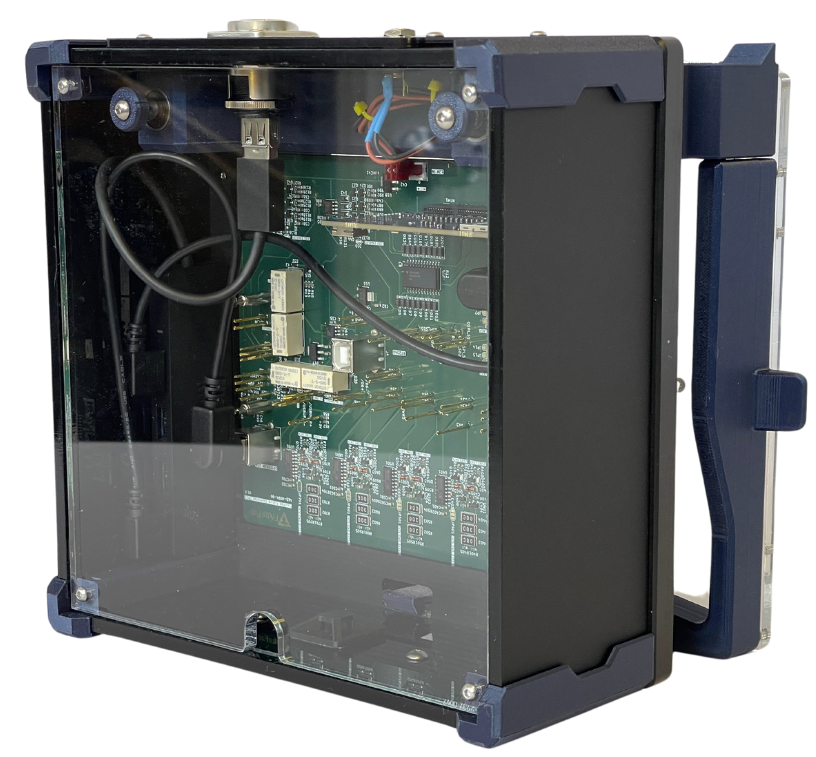
The image above shows the Test Point Carrier Board for testing FixturFab's FixturCtrl USB Hub. This TPCB contains several different subcircuits related to testing, including:
- Continuity Testing and Power Supply Mux
- USB Hub Communication and RP2040 Programming
- Downstream USB Device and Load Testing
Designing Your Own Test Point Carrier Board
FixturFab is more than willing to support you in designing your own TPCB. In this case, the typical design process is as follows:
- Download TPCB Design Assets for your specific fixture
- Download the Board Outline according to the fixture that you are designing
- Download the Receptacle Footprint Library
- These are provided in Kicad format and can be imported to any design tool that you use
- Create your schematic
- Create the initial layout of the TPCB
- Initial Layout Review
- Share STEP and initial Gerbers with FixturFab
- FixturFab reviews layout and provides any feedback on component placement, test point placement, etc.
- Complete routing
- Route all of the signals on the TPCB
- FixturFab recommends routing differential, high-power, and any sensitive signals by hand
- Auto-router can be used for anything else
- Share complete TPCB STEP and Gerbers with FixturFab
- FixturFab reviews layout and confirms that the board will fit mechanically
- Order the TPCB
- Place order for the PCB fabrication and assembly
- Ship assembled TPCB to FixturFab
- FixturFab 3410 Woodland Park Ave N Suite C Seattle, WA 98103
- FixturFab integrates the TPCB into your fixture and completes assembly and QA
- Fixture is shipped to you
Production vs Development Test Point Carrier Boards (TPCBs)
While the same TPCB designs can be used, the receptacle footprints change on the production test fixtures. The Development TPCBs use through-holes, which the test probe receptacles solder to, while the Production TPCBs use SMD pads, which are compatible with wireless receptacles.
Sub-Probe Plate
On Production Test Fixtures that use wireless receptacles, a sub-probe plate is used to mount the receptacles to the fixture. This plate is mounted to probe plate using standoffs, and the TPCB is mounted to the sub-probe plate.
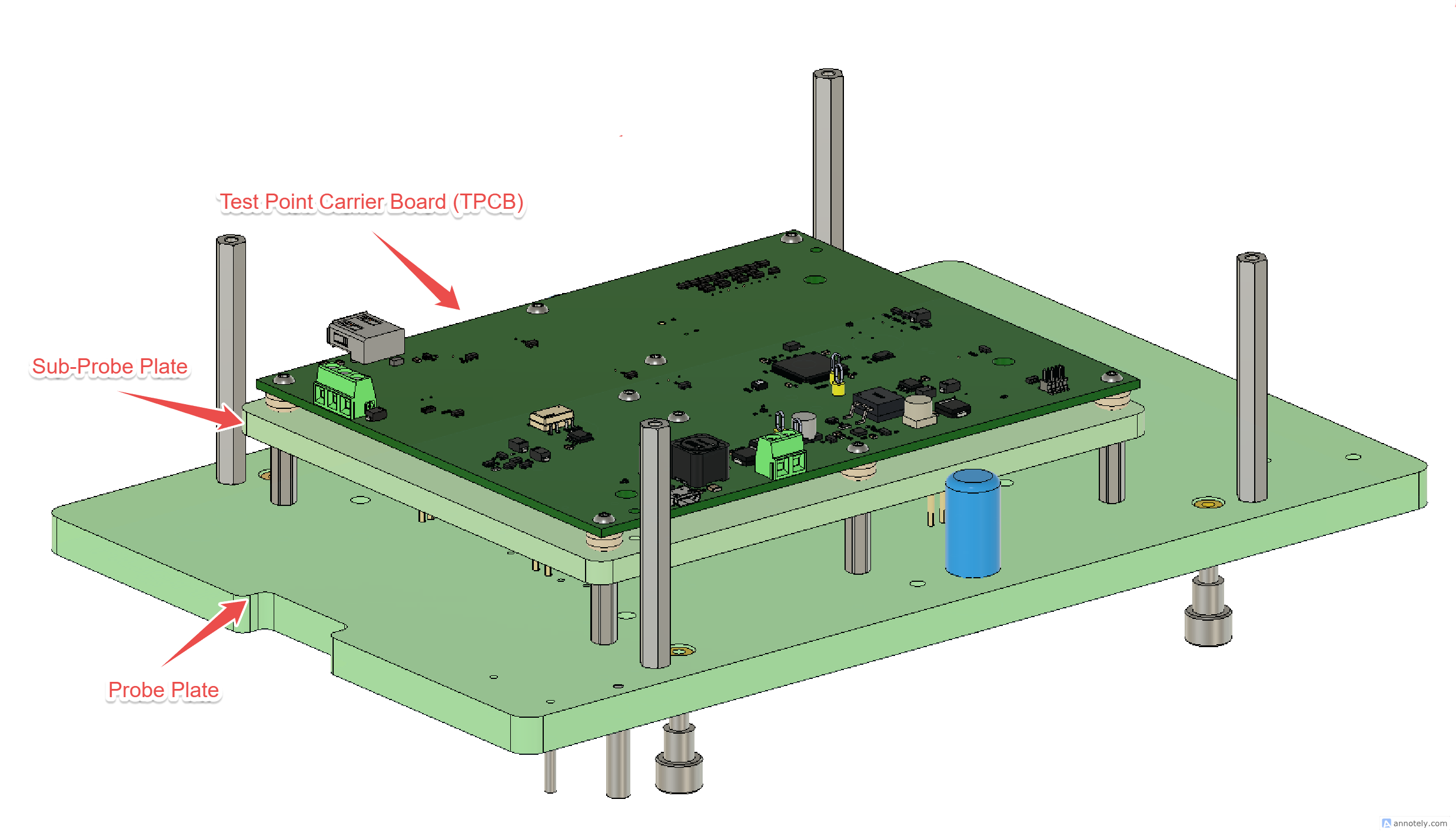
The mounting holes on the sub-probe plate should be 6mm in diameter, which allows for a 3D-printed spacer to be press fit into the hole, providing the correct offset for the working stroke of the spring-loaded pin on the wireless receptacle.
The sub-probe plate is fastened to the probe plate by standoffs in two of its corners. Studio's TPCB design package places a 6.5 mm clearance hole in the TPCB over each of those standoffs (listed as Sub-probe plate mount in the Tooling Holes table of the design PDF) so the standoff fastener can be reached and tightened with the TPCB in place. Keep copper and components clear of them.
Design Guidelines and Best Practices
This section provides comprehensive guidance for designing TPCBs that meet both electrical and mechanical requirements.
Test Point Location and Layer
Depending on whether you are probing the Top or Bottom side of the DUT, you may need to mirror the test points on your TPCB.
We find it easiest to place the Test Points on the Bottom side of the TPCB, and all components on the Top. If following this approach, you will need to mirror the test points if the Top side of the DUT is being probed.
TPCB Alignment
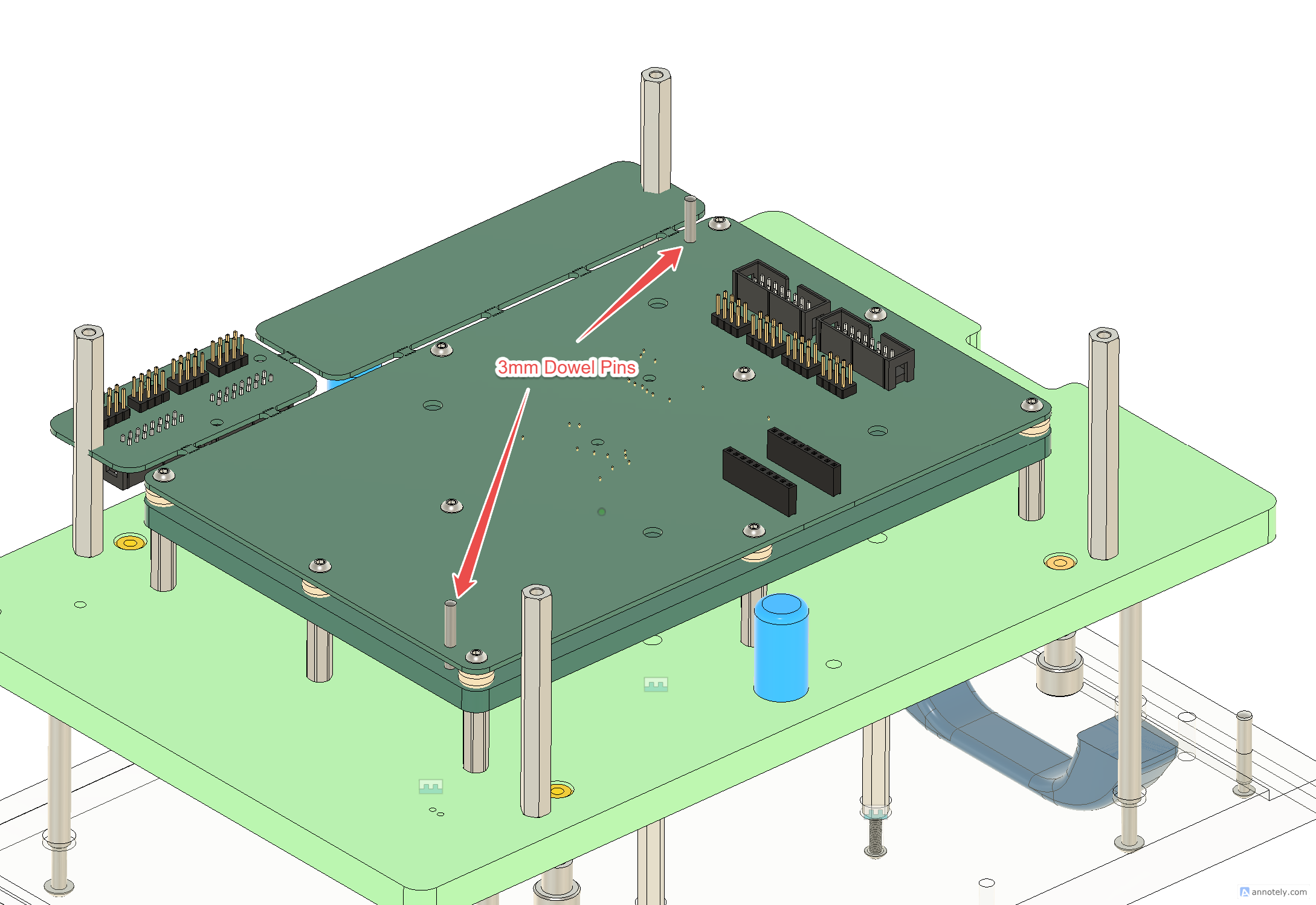
To align the TPCB, place 2 - 3mm NPTH holes in opposite corners. Place them as shown below to prevent the TPCB from being attached in the wrong orientation.
A TPCB design package generated by Studio already carries these two Dowel pin holes (bottom-left and top-right corners, offset along different edges so the pattern is not symmetric when the board is turned around) in its KiCad footprint, DXF, SVG and PDF, alongside the two sub-probe plate mount clearance holes. Keep them as non-plated through holes at the listed sizes.
DUT Orientation on the TPCB
The TPCB holds your board the way the fixture does. When FixturFab lays out the TPCB on the Interface Design step of your order, the board starts where the fixture has it — the DUT Orientation set in your test configuration (0°, 90°, 180° or 270°), or its saved placement on the cartridge — and it can be turned in 90° steps from there. The TPCB outline is fitted to the turned board, so a board that only fits the cartridge working area sideways gets a TPCB that fits it. Every export — the KiCad footprint and symbol, DXF, SVG and PDF — carries the test points at the rotated positions.
Several boards on one TPCB
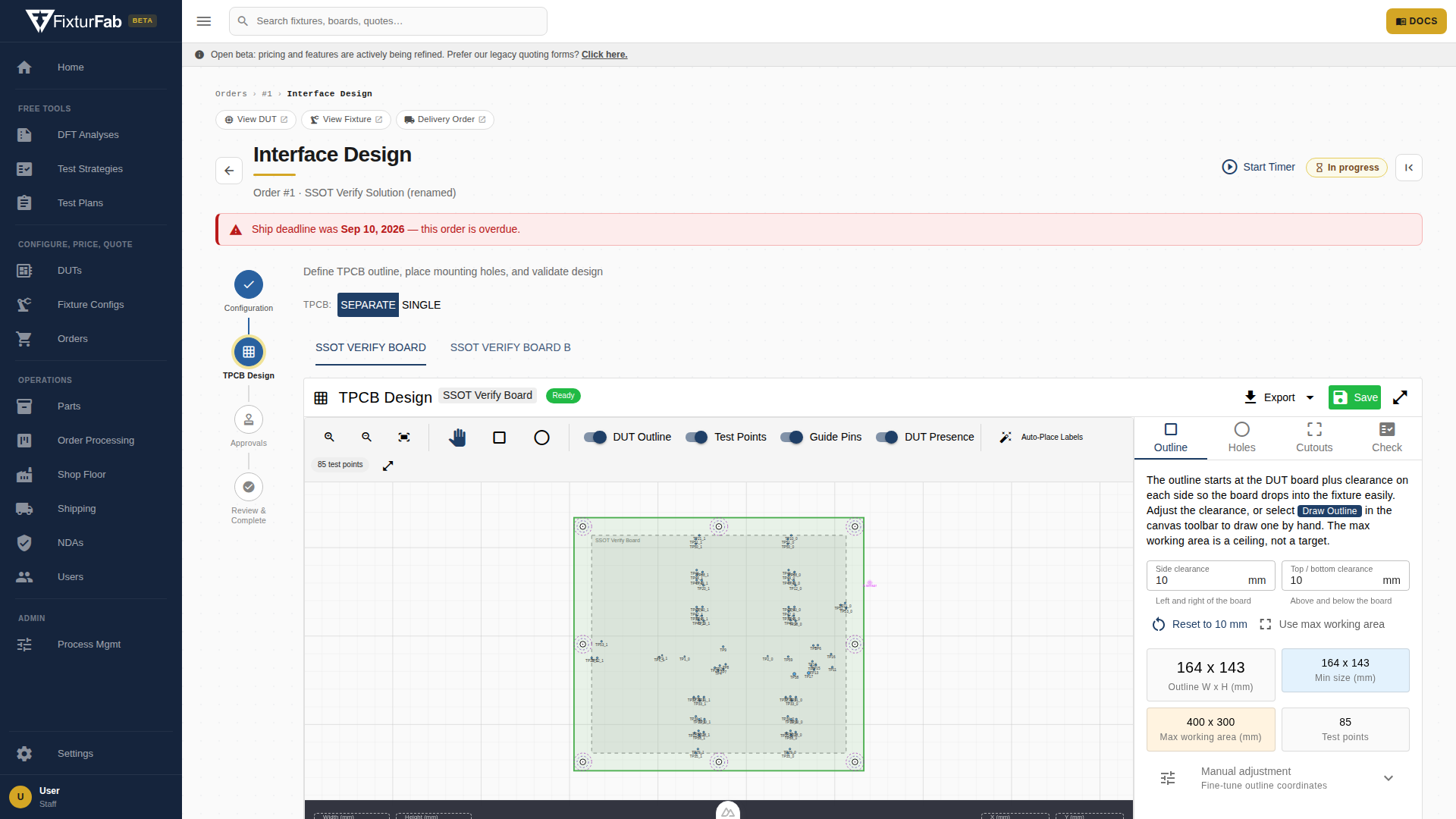
A fixture that tests more than one board, or several copies of the same board, can carry every board on one shared TPCB instead of one TPCB per board. FixturFab chooses between the two layouts on the Interface Design step of your order:
- Separate (the default): one TPCB design, export and review per board. Each board keeps its own test point names, nets and design package.
- Single: one TPCB with every board placed on it. The option only appears when the order has more than one board instance; an order that later drops to one board is treated as Separate again.
How a shared TPCB is laid out
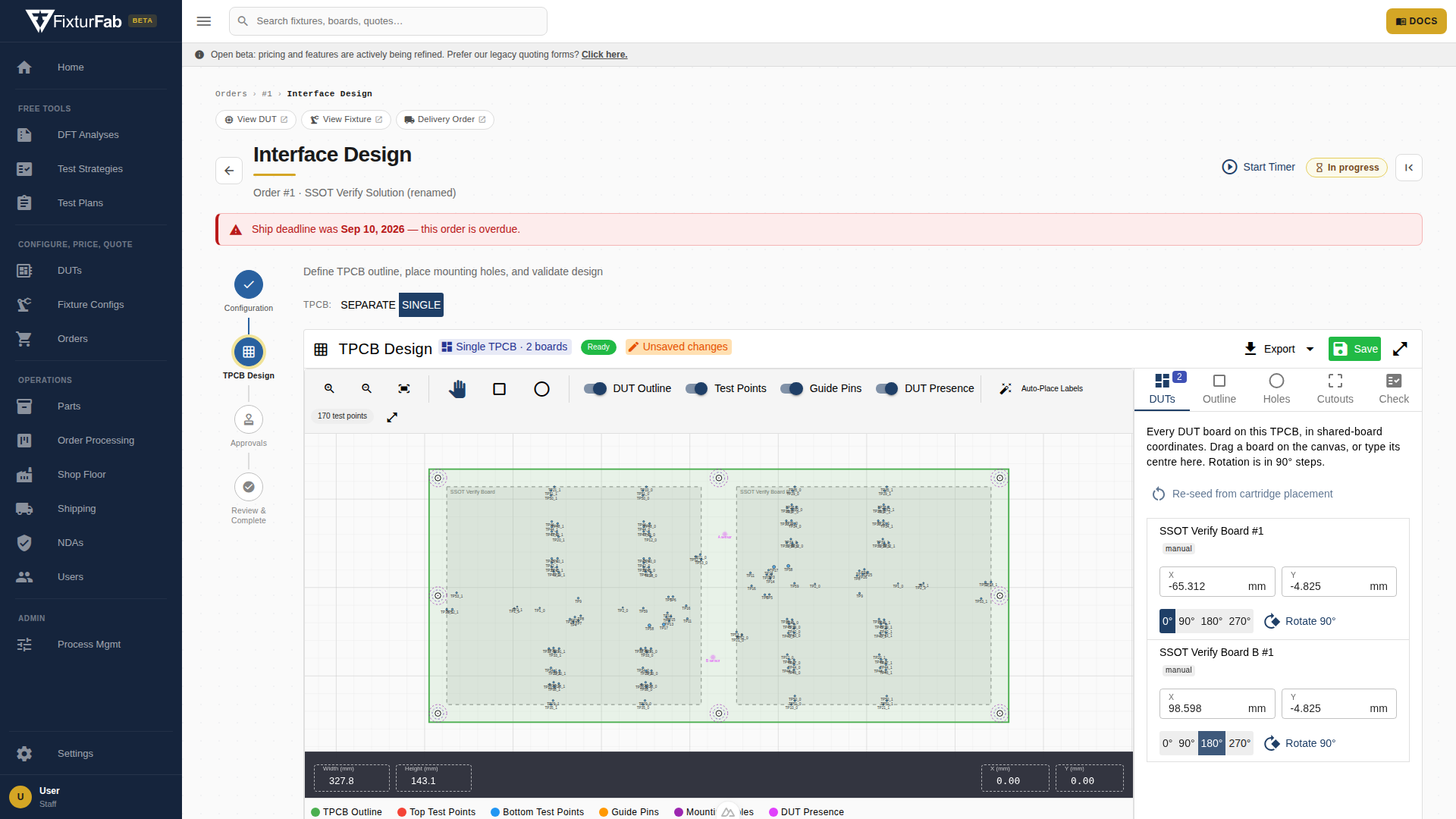
Each board sits at a position and a rotation in 90° steps on the cartridge working area. When the kickoff placement of your boards in the fixture exists, the TPCB starts from that layout; otherwise the boards are placed side by side and FixturFab positions them by hand. The shared outline starts at the boards plus 10 mm of clearance on every side, grown only as far as the test points need and never past the cartridge working area. Boards that do not fit inside the working area are flagged rather than the outline growing past it, so a fixture with two full-size boards may need a larger cartridge.
Naming on a shared TPCB
- Test point labels on the silkscreen, drawings and design files keep each board's own names (
TP1,TP12). When the same board appears more than once, every copy gets a numbered suffix:TP1_1on the first copy,TP1_2on the second. - Net names get a board prefix whenever the TPCB carries more than one kind of board, so two boards that both have a
GNDor anSDAnever share a pin name on the TPCB schematic symbol: the first board's nets becomeA_GND,A_SDA, the second'sB_GND,B_SDA. A repeated board's copies then add their copy number after that:A_GND_1,A_GND_2. One kind of board placed several times needs no prefix, so its nets are simplyGND_1,GND_2. - Nets that really are one net across every board (a shared ground, say) can be marked common on the DUTs tab of the TPCB design. A common net keeps its bare name (
GND) on every board, with neither prefix nor copy number, so it lands on one pin of the symbol. Only net names that appear on more than one board are offered. - Every board's DUT presence switch is placed on the shared TPCB, positioned relative to its own board so it follows the board if the layout changes.
Reviews and design packages
A shared TPCB goes through the same schematic and layout review as a per-board design, as one review thread. The design package you receive for a Single layout contains the whole shared board; switching an order back to Separate restores the per-board packages.
TPCB Board Outlines
The outline of each TPCB varies depending on the fixture that it will be mounted within. Here are DXF and PDF files for our commonly used fixture bases.
Development Fixtures and Cartridges
- Dev
- Dev XL
- Dev Pro
- Dev Pro XL
Ingun Fixtures and Cartridges
- MA260
- MA11
- MA12
- MA13
- MA14
Receptacle and Guide Pin Footprints
Open Source KiCad Library
We have a KiCad Library for Schematic Symbols and Footprints available here.
Recommended Receptacle Footprints
There are four common footprints that we use for almost all receptacles. These are shown below.
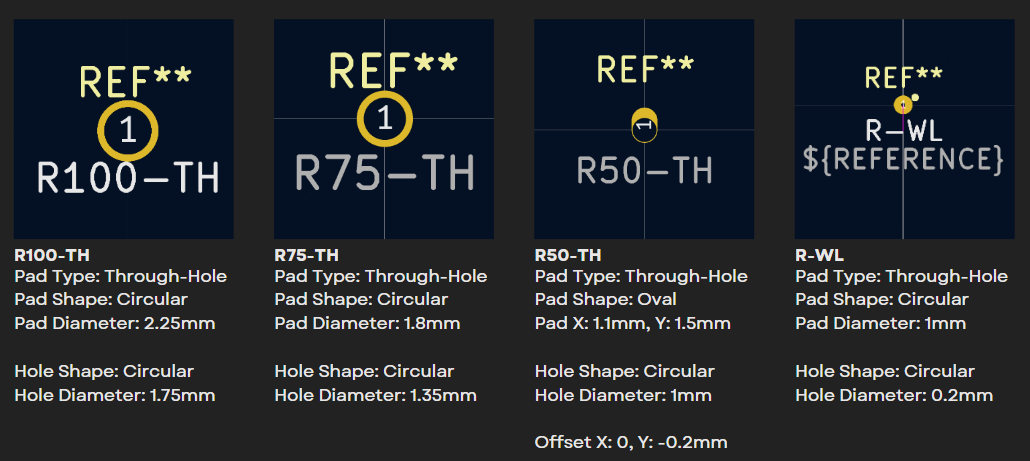
The R50-TH, R75-TH, and R100-TH footprints are through-hole and designed so that the receptacle will be inserted through the hole and then soldered to the board. This style of receptacle is commonly used in our development style fixtures.
The R-WL footprint is for use with wireless receptacles, which feature a secondary pogo-pin at the bottom of the receptacle. This footprint is still a through-hole, with a small 0.2mm hole through the board. This enables you to still probe the test point from the bottom of the TPCB while you are bringing up or debugging the fixture.
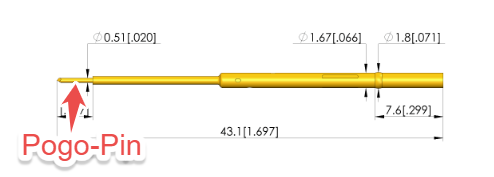
These receptacles are used on all of our Production Test Fixtures. This allows for the TPCB to be easily replaced and maintained due to no solder being used to connect the receptacles to the TPCB.
Guide Pin Footprints
Spring Guide Pins are one of our favorite methods to use for locating a DUT within a fixture. They support a wide variety of hole dimensions that can be used with mounting or tooling holes on the DUT.
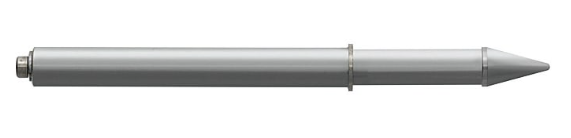
A side effect of using a Spring Guide Pin is that the pin extends down as the tip is compressed. This requires a hole to be placed on the TPCB to ensure there isn't any interference.
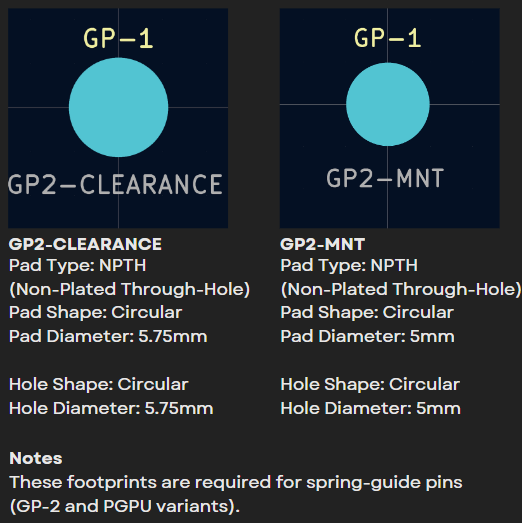
If dowel pins or tooling pins will be used to locate the DUT, a footprint doesn't need to be placed on the TPCB.
App: Ingun Inductive Fixture Switch
One of our favorite accessories to integrate into an Ingun Fixture Base is an Inductive Switch. This integrates into the fixture base and enables you to easily determine if the fixture is closed.
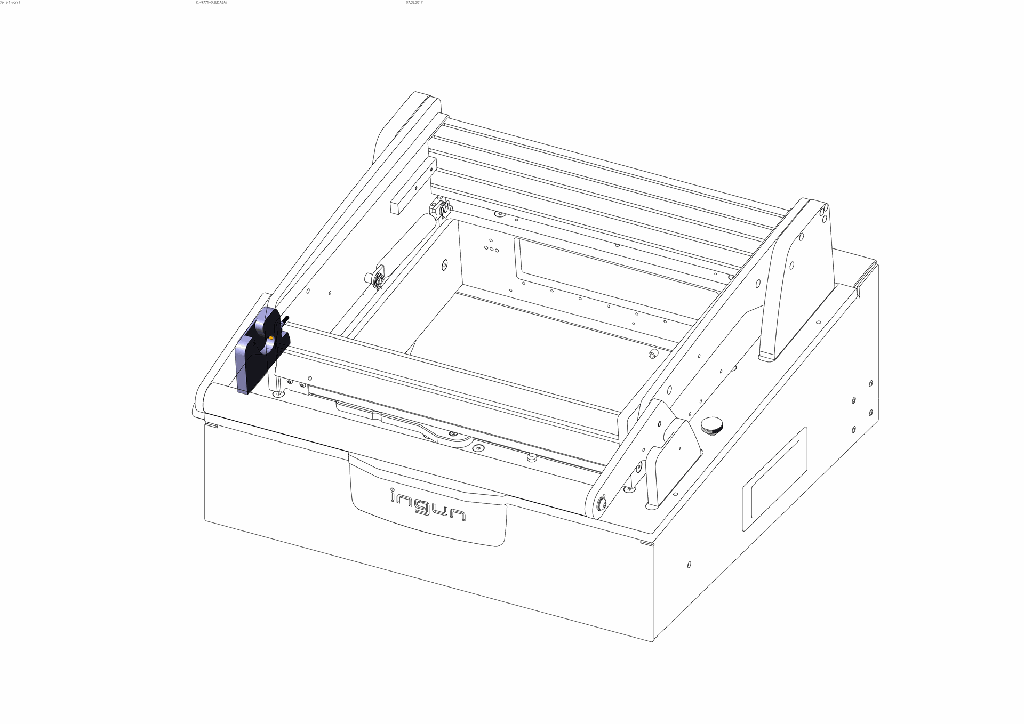
The sensor included in this accessory is a IFM IY5052 Inductive Sensor. This can be powered with 10-30VDC, and has a PNP Output.
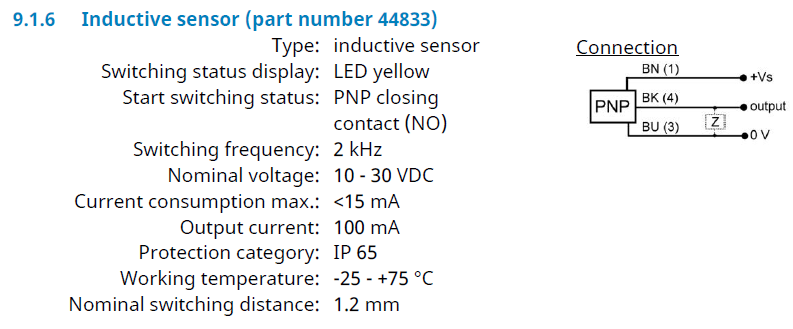
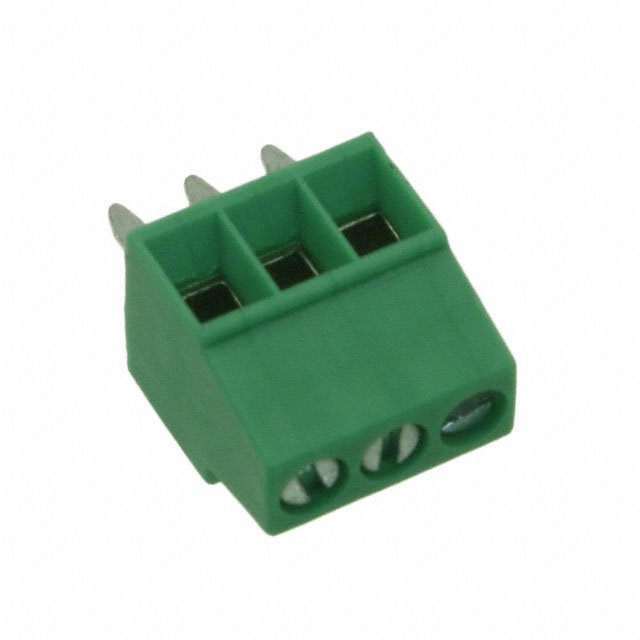
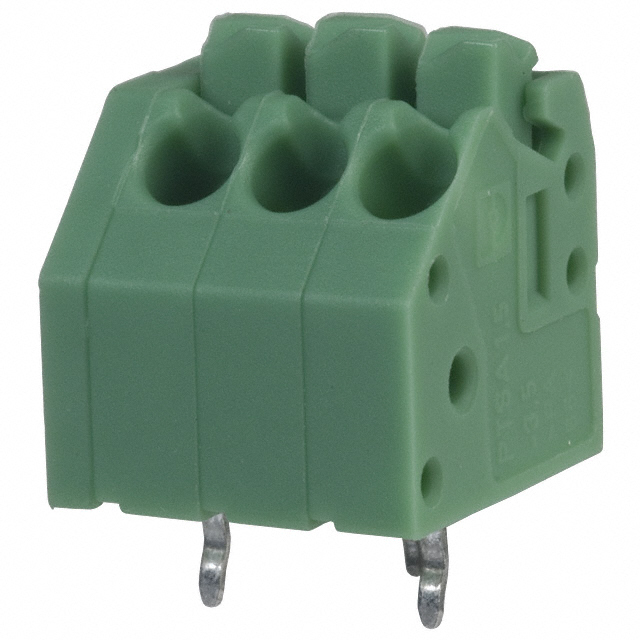
To interface with this sensor, we commonly use a 3-pin terminal block with the following pinout:
| Pin | TPCB Connection | Switch Wire Color |
|---|---|---|
| 1 | 12V | Brown (BN) |
| 2 | SW | Black (BK) |
| 3 | GND | Blue (BU) |
We use a voltage divider to adjust the 12V output (showing that the fixture is closed) to whatever logic level is being used by the instrumentation in the fixture.
Common connectors we've used are: