

Appearance
Installing the Ingun DUT presence switch (SKS-215 + KS-215)
Overview
This guide covers the Ingun SKS-215 002 180 A 0802 MF switching probe in a KS-215 screw-in receptacle, the DUT presence switch used on FixturFab Ingun fixtures. It is a normally-open switch that closes when the DUT presses its plunger, so the tester knows a board is seated before it runs. The receptacle mounts one of two ways: in the probe plate, held by its collar, with wires soldered to it, or soldered into the TPCB. In both cases the height is set by threading the probe in or out. If it is set too high, it gets crushed (see Setting the height).
| Item | P/N | Notes |
|---|---|---|
| Ingun SKS-215 002 180 A 0802 MF switching probe | 201-0094-00 | Screws into the KS-215; height adjusts by threading |
| Ingun KS-215 M1.6-F receptacle | 202-0048-00 | 42.85 mm long; 2.2 mm collar, 2.0 mm body, 1.4 mm tail |
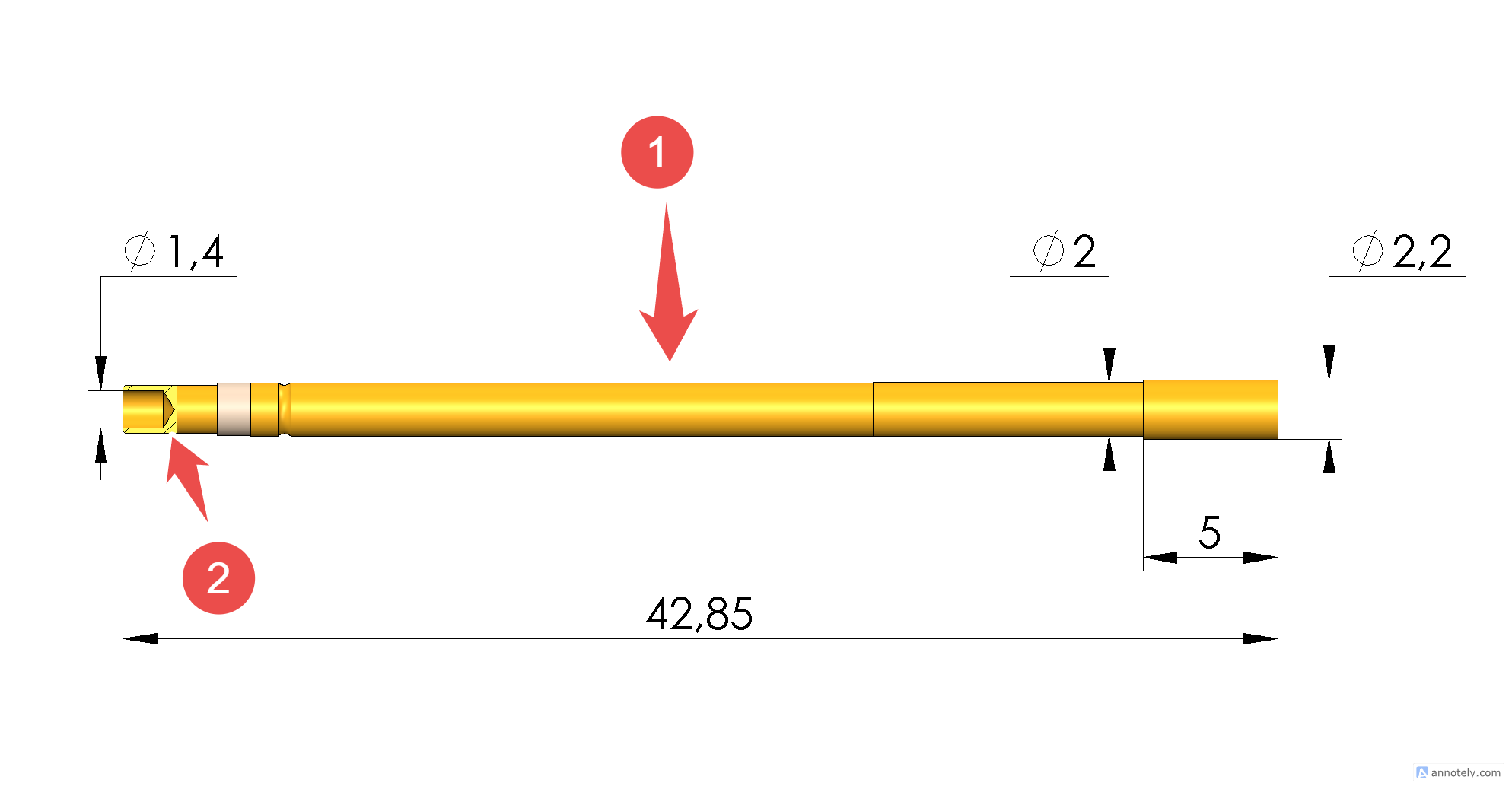
KS-215 receptacle (dimensions in mm). The collar end (right) sits at the top of the probe plate.
The receptacle has two contacts, separated by the white insulator:
- Solder Connection 1 (1): the long main barrel, which connects to the inner barrel of the switching probe. A wire is soldered to it just above the white insulator. It is a short jumper to the TPCB's secondary pad, or a full-length lead to the tester when there is no TPCB.
- Receptacle Connection 2 (2): the 1.4 mm tail, which connects to the outer barrel of the switching probe. It solders into the TPCB's main pad, or takes a wire in Approach A.
The switch is normally open: it closes the circuit between Connection 1 and Connection 2 when the DUT presses the plunger past its switch point.
For how switching probes work, the probe comparison and the full TPCB footprint, see Switching probes for DUT presence detection.
Tools and parts
- SKS-215 switching probe (201-0094-00) and KS-215 receptacle (202-0048-00)
- Temperature-controlled soldering iron, fine tip, rosin-core solder, flux
- Hookup wire and heat-shrink tubing, plus a heat gun
- Masking tape (Approach B)
- Needle-nose pliers for threading the probe
- Driver for the TPCB mounting screws (Approach B)
- Multimeter with continuity mode
- Calipers, if setting the height from the specs
Approach A: collar in the probe plate, wires soldered on
Use this approach when there is no TPCB under the switch. The KS-215 receptacle sits in the probe plate, held by its collar, and a wire is soldered to each of its two connections.
- Remove the probe plate from the fixture so its underside is reachable.
- From the top of the probe plate, insert the KS-215 into its 2.1 mm hole until the 2.2 mm collar seats flush. It must not rotate, because the probe threads into it.
- Slide heat-shrink onto the wires. Solder one wire to Solder Connection 1, just above the white insulator, and the other to Receptacle Connection 2. Shrink the tubing over both joints. Solder before threading the probe in, so the iron's heat stays away from the switch.
- Thread the SKS-215 into the receptacle and set its height (see Setting the height).
- Route and strain-relieve the wires so the moving plate doesn't pull on the joints. Reinstall the probe plate and run the checks in Verify and troubleshoot.
Replacing a damaged probe or receptacle: first unscrew the old SKS-215. If only the probe is damaged, thread in a new one and set its height. If the receptacle is damaged, note which wire is on Connection 1 and which is on Connection 2, unsolder both, remove the receptacle, and install a new one from step 2.
Approach B: receptacle soldered to the TPCB
Use this approach when the fixture has a TPCB. The KS-215 receptacle is soldered into the TPCB, and the probe passes up through the probe plate. The TPCB footprint (KiCad SwitchProbe) requires two separate pads, about 3.5 mm apart:
| Pad | Drill | Pad size | Purpose |
|---|---|---|---|
| DP-A: main pad (through-hole) | 2.1 mm | 2.7 mm | Receptacle soldered here (Receptacle Connection 2) |
| DP-B: secondary pad (0.1" header) | 1.0 mm | 1.7 mm | Wire to Solder Connection 1 |
- From the top of the probe plate, insert the KS-215 receptacle into the switching-probe hole. Hold it flush to the probe plate with masking tape.
- Attach the TPCB with its M3 screws. Check that the receptacle sticks slightly out through the main pad (DP-A) on the TPCB.
- Solder the receptacle (Receptacle Connection 2) to the main pad (DP-A).
- Remove the M3 screws and detach the TPCB. Carefully pull the receptacle back out through the holes in the probe plate and sub-probe plate. It stays soldered to the TPCB.
- Solder a short wire to Solder Connection 1, just above the white insulator. Solder the other end to the secondary pad (DP-B).
- Carefully guide the receptacle back through the sub-probe plate and probe plate, and reattach the TPCB. Remove the tape.
- From the top, insert the SKS-215 into the receptacle and screw it all the way in with needle-nose pliers for the minimum height. Back it out as needed for the DUT (see Setting the height).
Replacing only the probe: unscrew the old SKS-215 and thread in a new one. The receptacle stays soldered to the TPCB.
Step-by-step photos
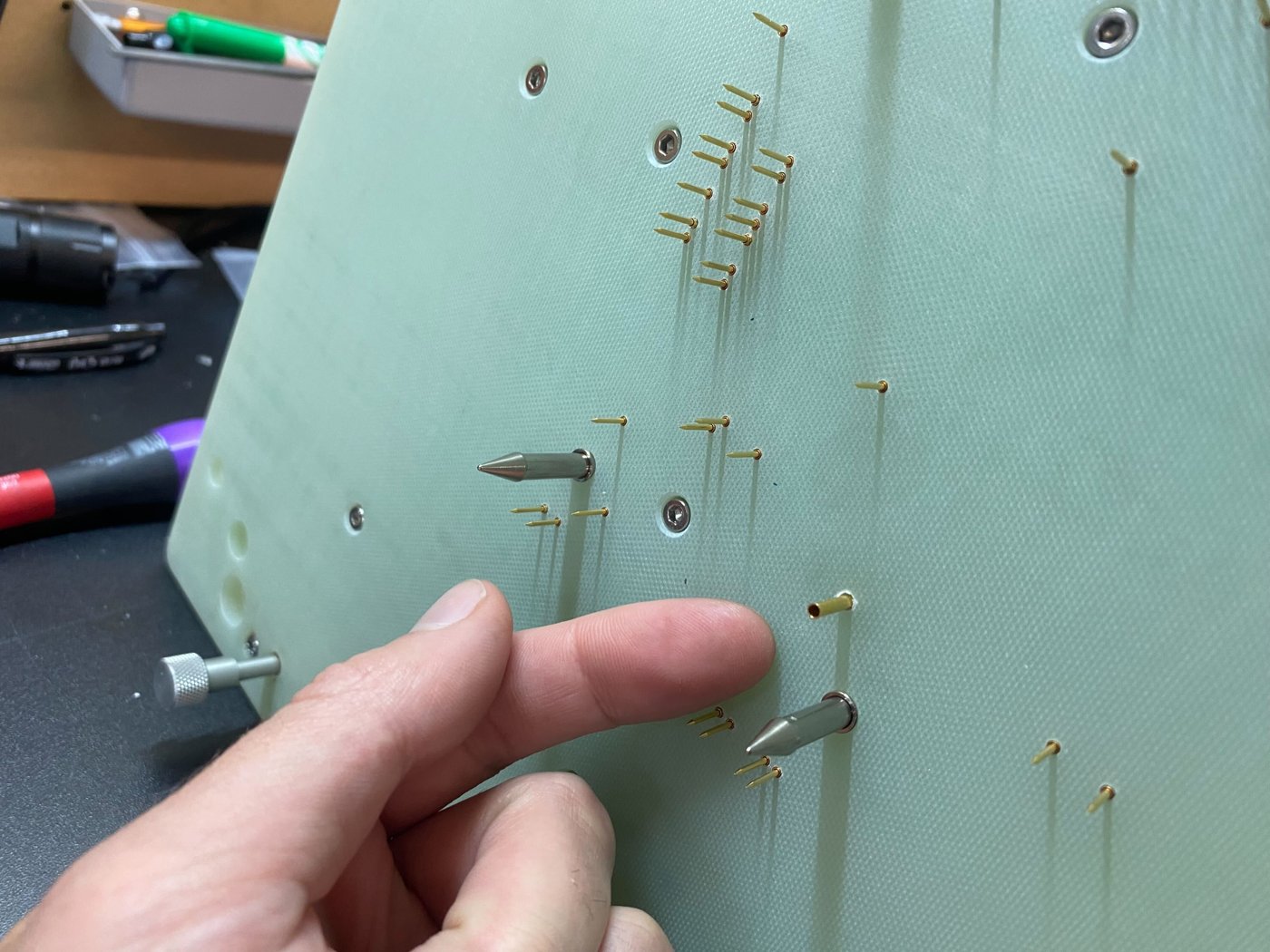
Step 1: insert the receptacle into the switching-probe hole.
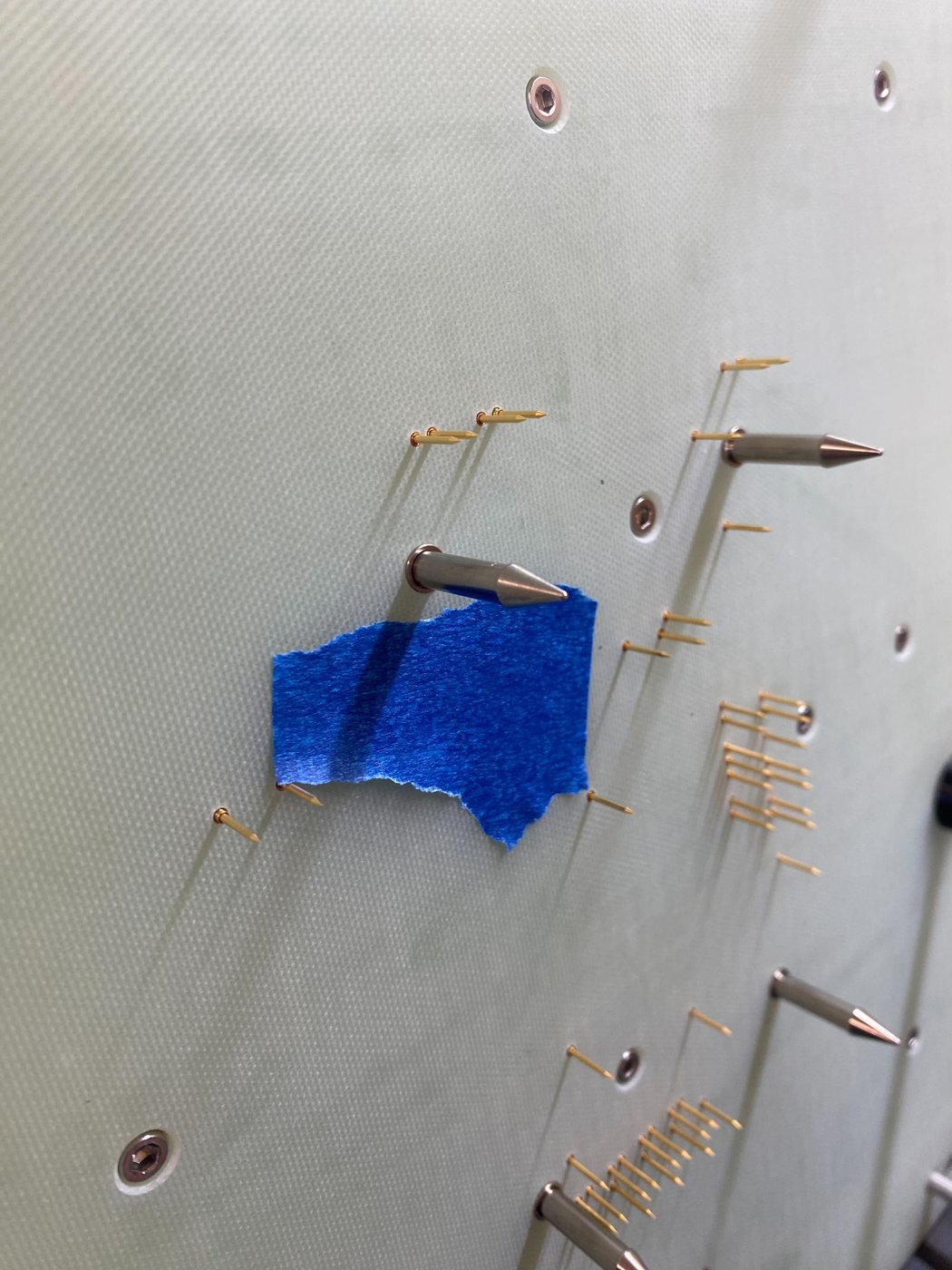
Step 1: masking tape holds it flush to the probe plate.
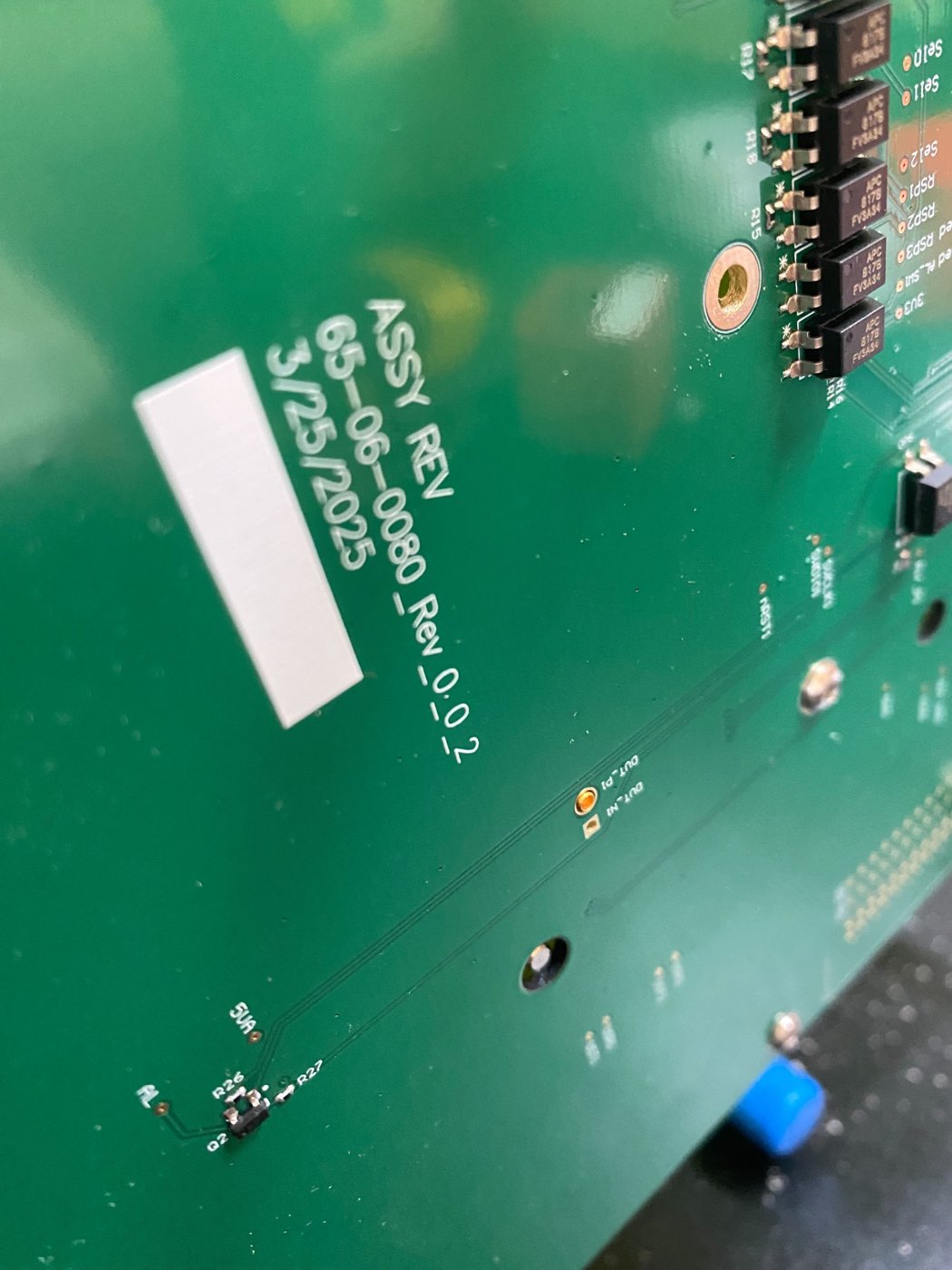
Step 2: the receptacle sticks slightly out through the TPCB.
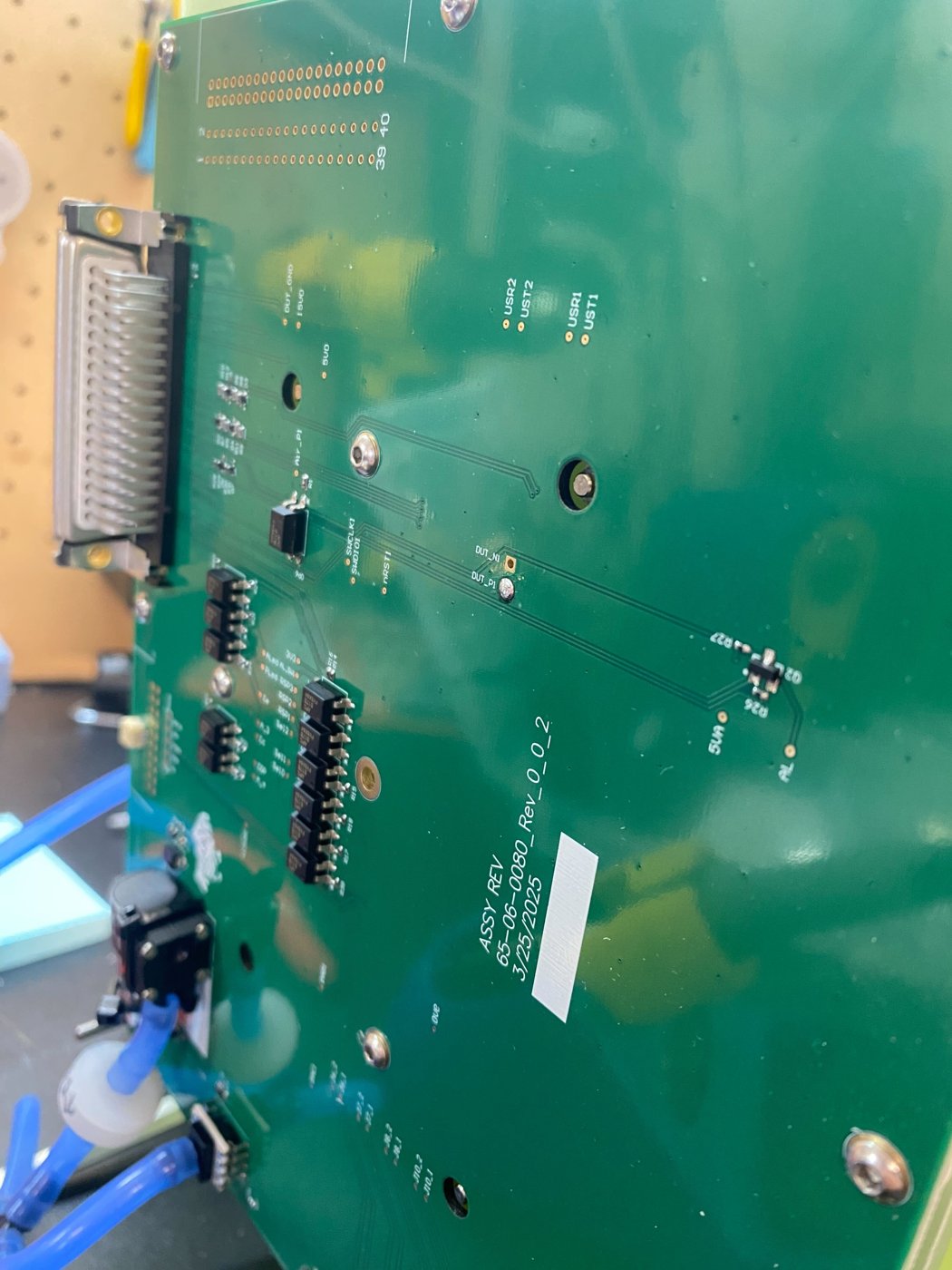
Step 3: receptacle soldered to the main pad.
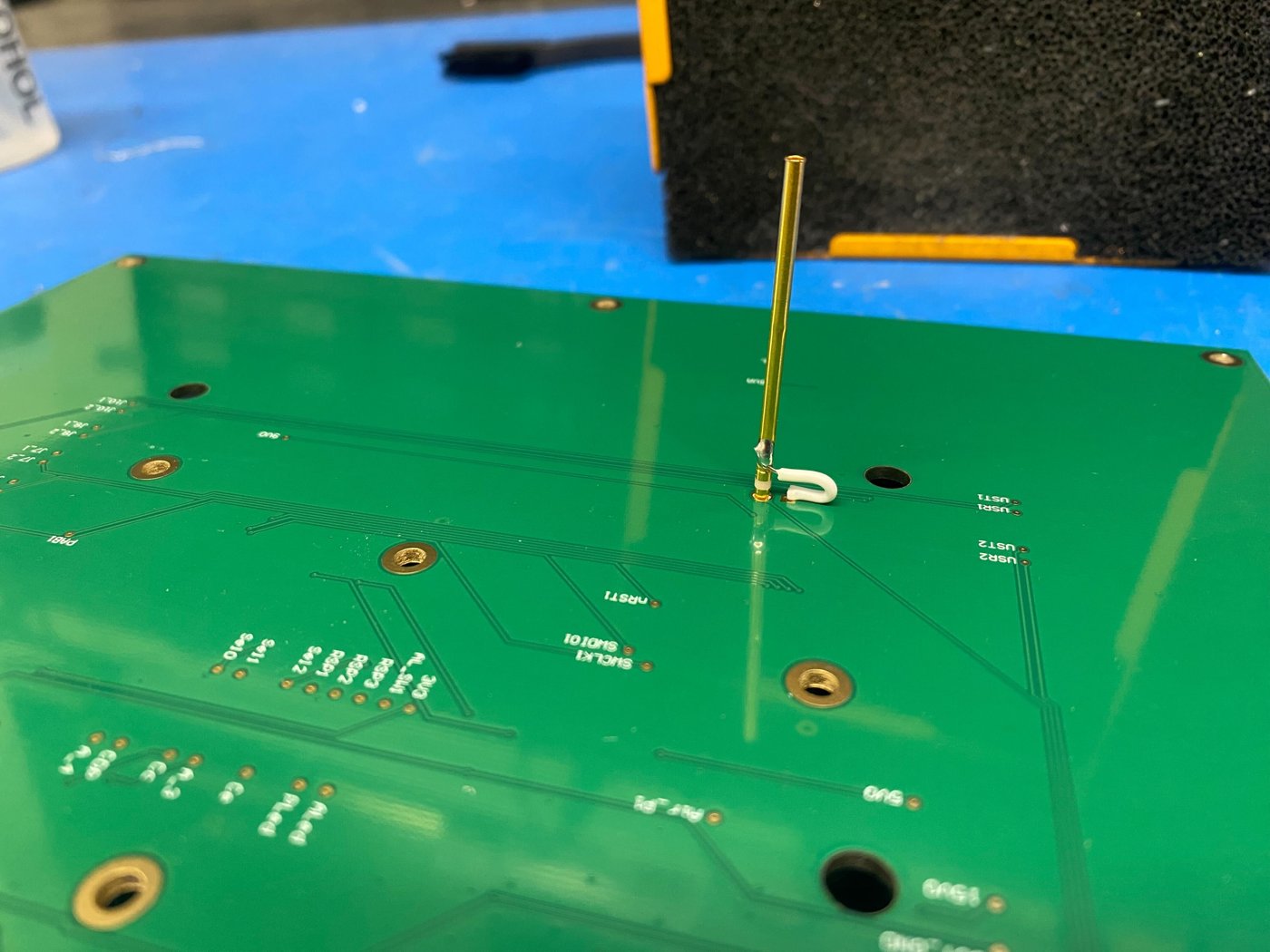
Step 4: TPCB detached, receptacle still soldered to it.
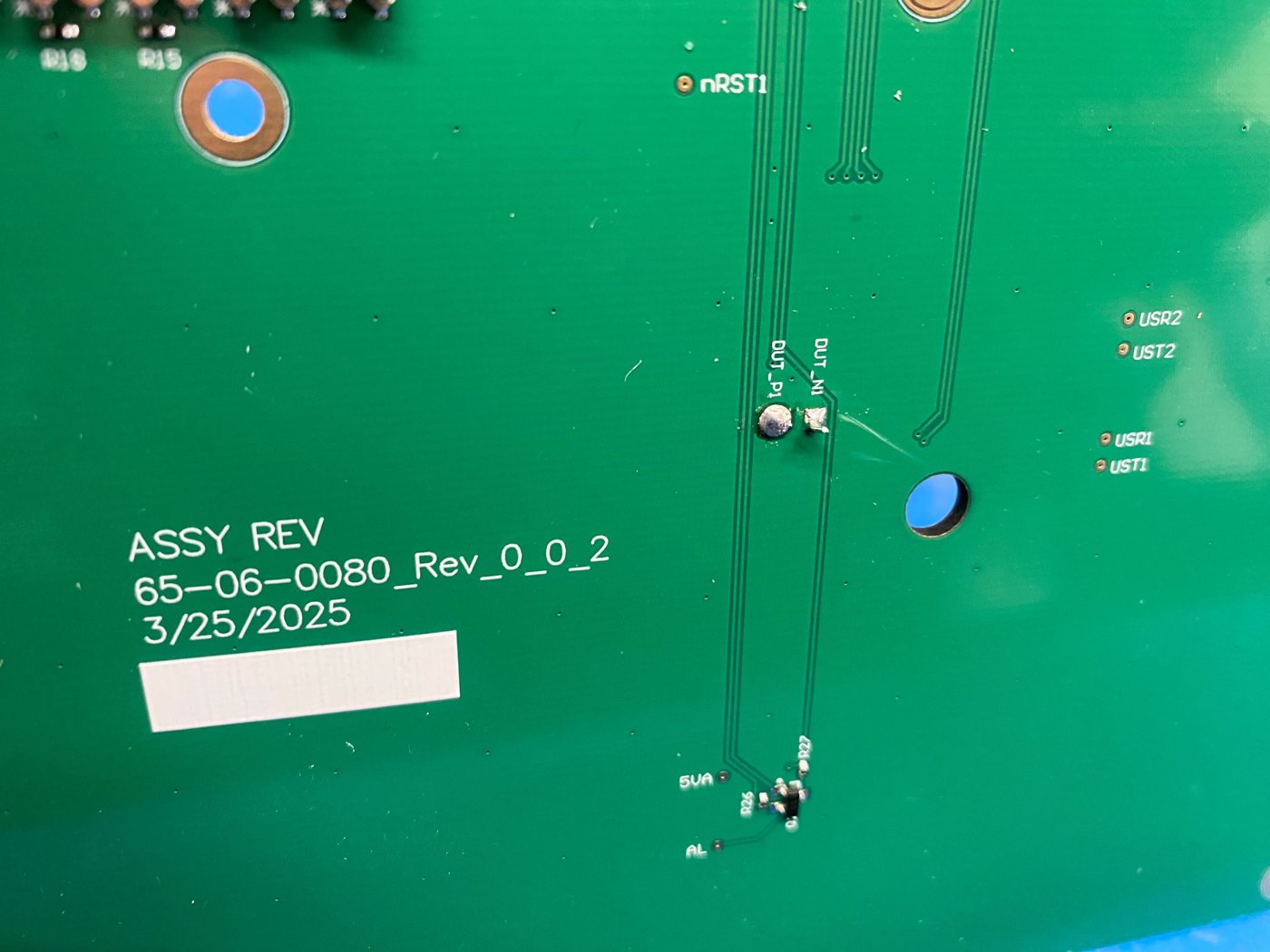
Step 5: wire from Solder Connection 1 to the secondary pad.
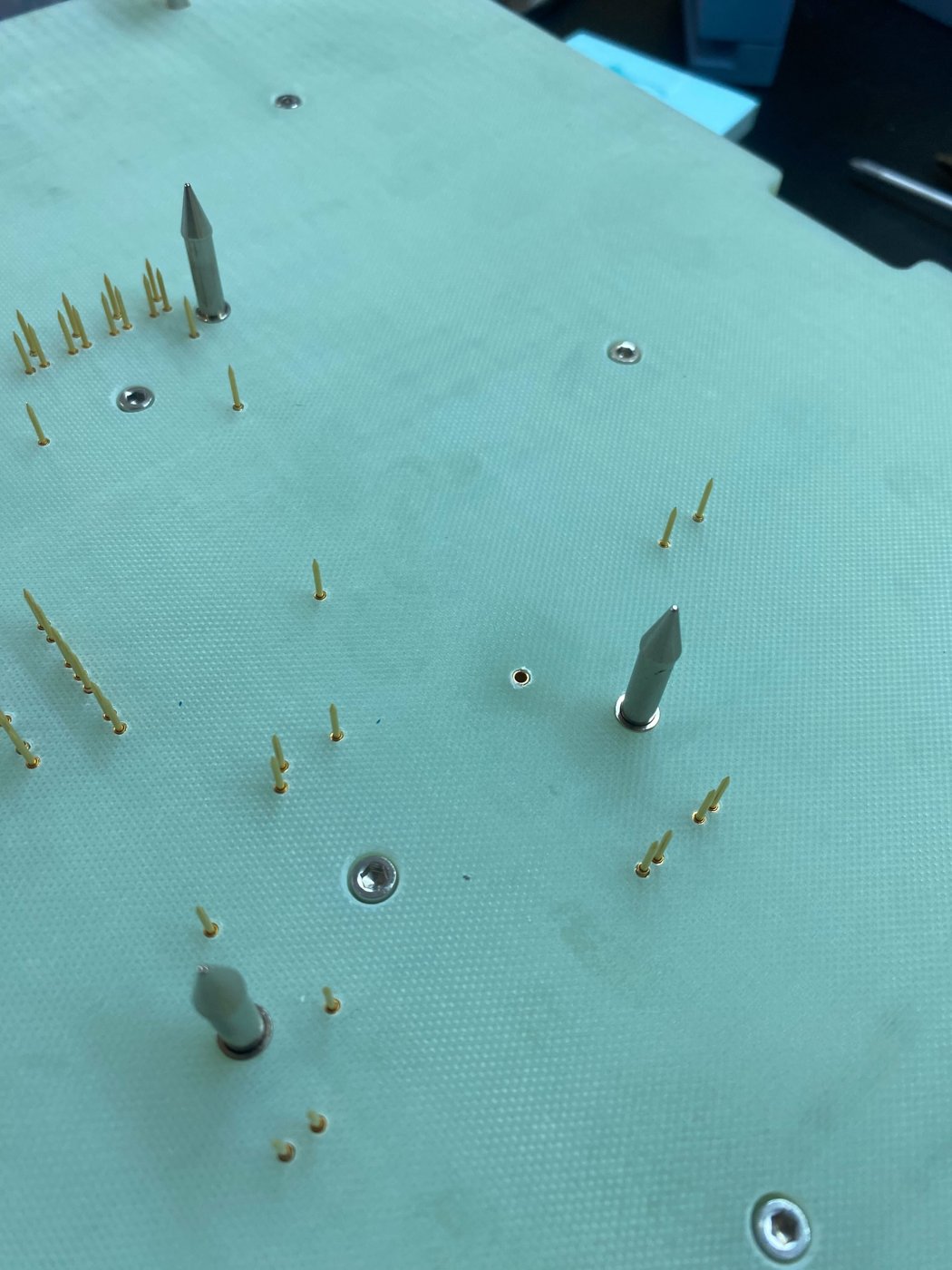
Step 6: receptacle reinserted and TPCB reattached.
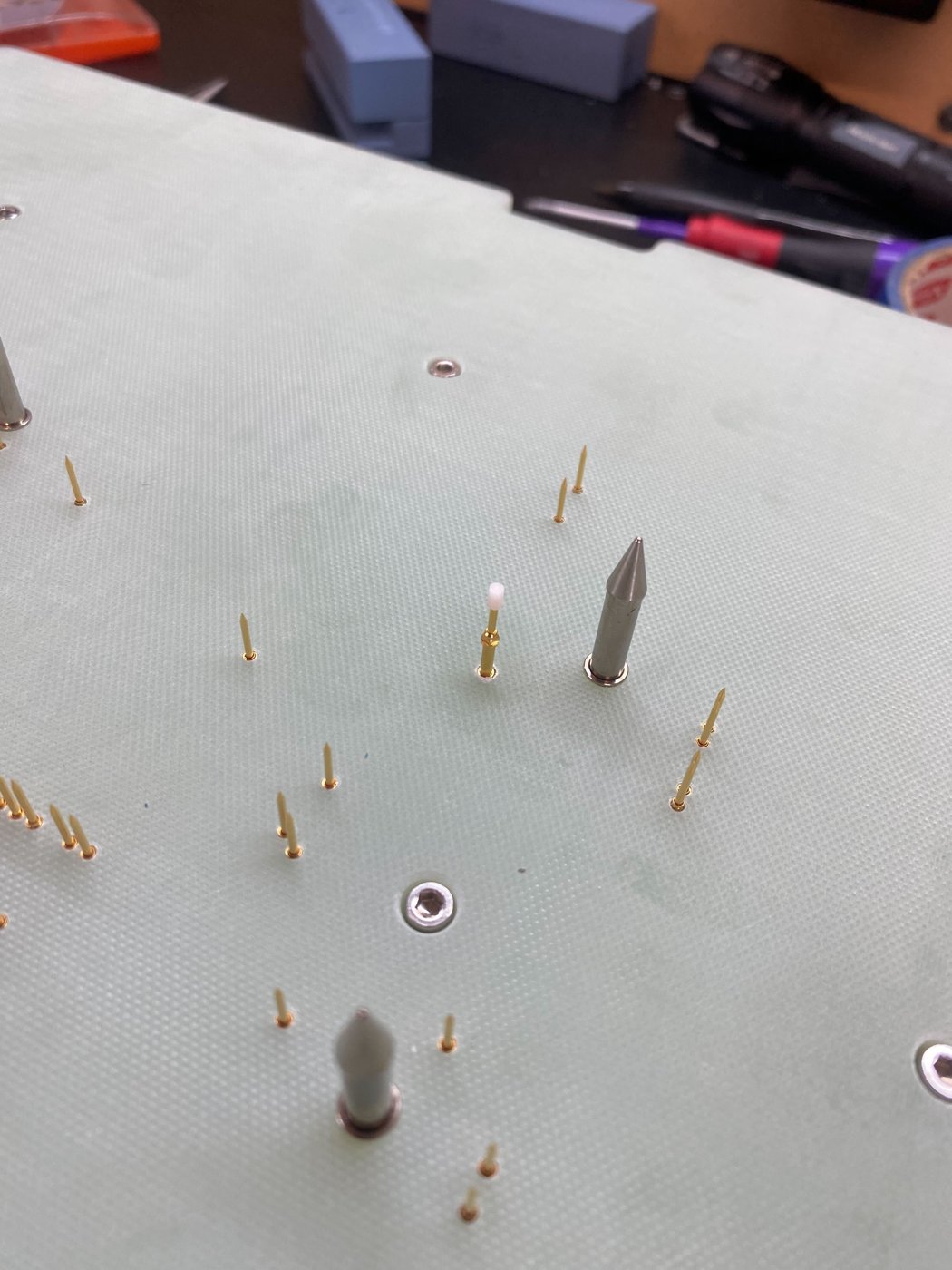
Step 7: insert the probe.
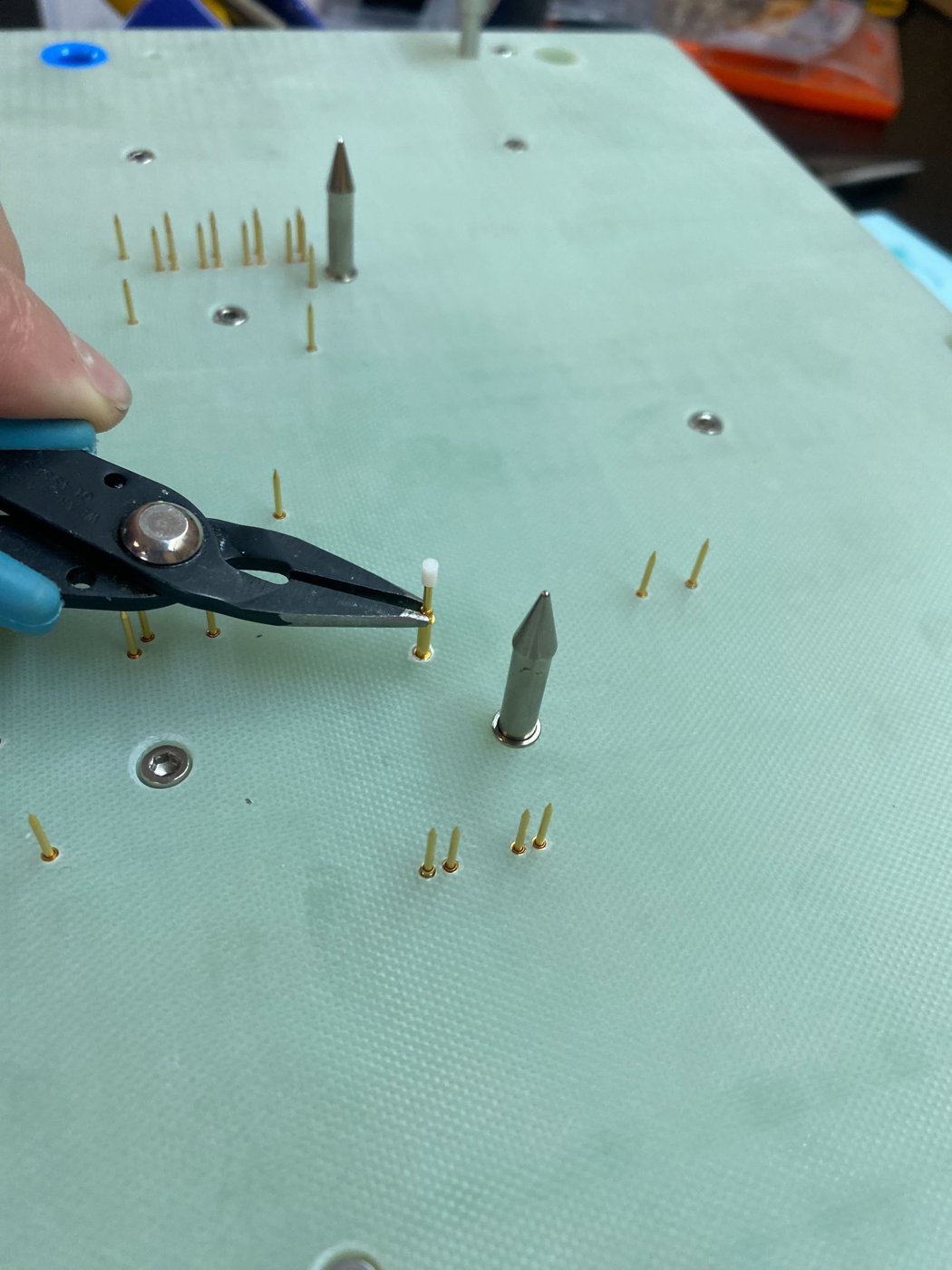
Step 7: screw it in with needle-nose pliers.
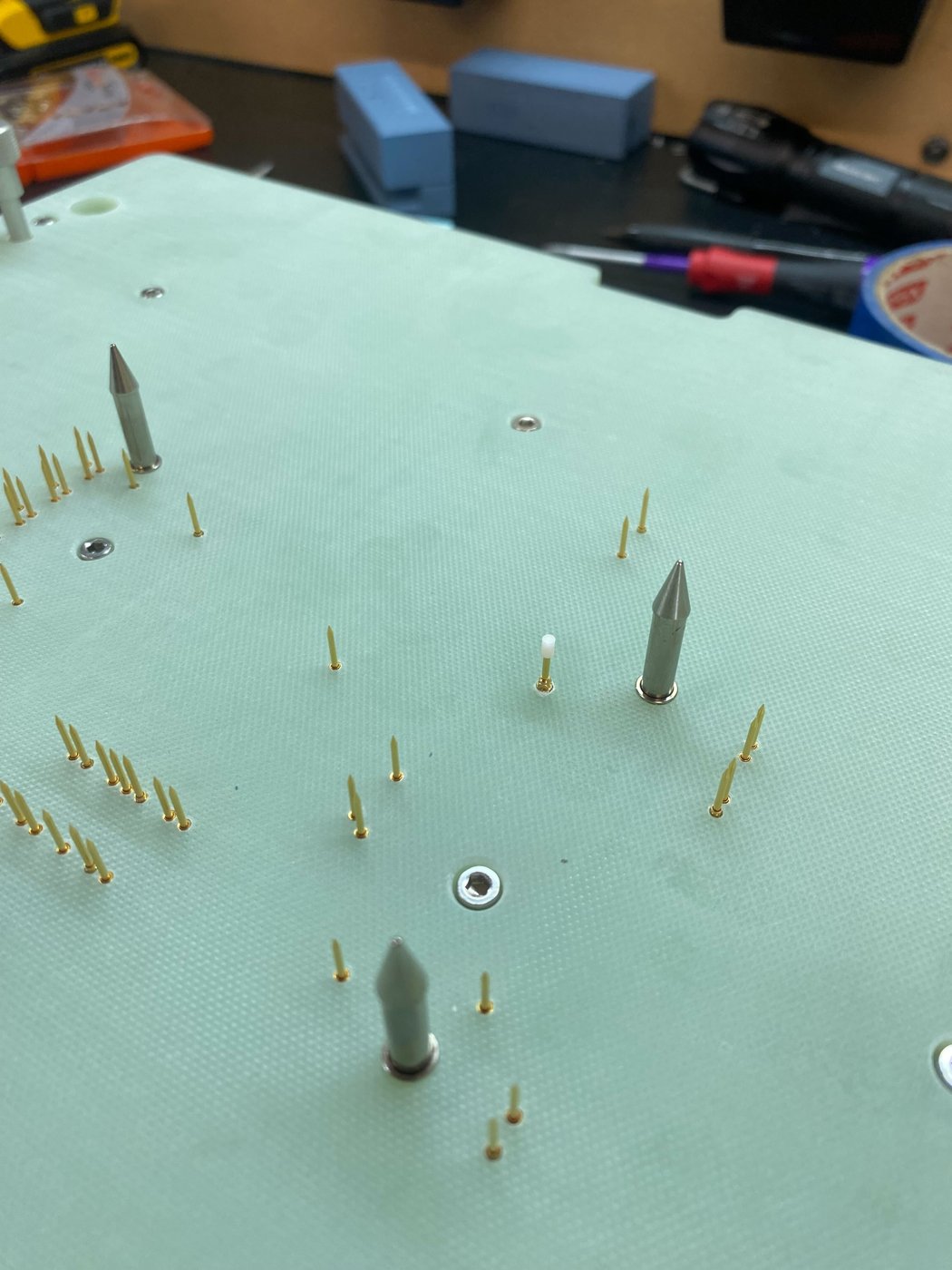
Done: probe flush with the probe plate.
Wiring to the tester
There are two common wiring configurations, for either approach (diagram on the DUT presence page). Both work; choose based on your test system's I/O configuration.
- Option A: reads from Connection 2 with an internal pull-down.
- Option B: grounds Connection 2 and reads from Connection 1. The DI pin is pulled high when open and goes low when the DUT closes the switch.
Debounce the digital input in software.
Setting the height
The switch height is adjustable to suit the DUT. It must switch before the DUT is fully seated, but never go past its 5.0 mm max stroke at full close. A switch set too high is driven past max stroke and crushed.
| SKS-215 spec | Value |
|---|---|
| Switch point | 1.5 mm ±0.2 of compression |
| Working stroke | 4.0 mm |
| Max stroke | 5.0 mm |
| Installed height in KS-215 | 10.2 mm |
| Spring force | 0.8 N |
| Current rating | 3 A |
Target height: adjustable, depending on the DUT. The minimum height is with the receptacle flush with the probe plate and the probe screwed all the way into the receptacle. Back the probe out to raise it. Aim for about 4.0 mm of plunger compression at full close: at least 1.7 mm so it reliably switches, and never more than 5.0 mm.
- Check that the receptacle is flush with the top of the probe plate. If it sits high, every setting sits high with it.
- Screw the SKS-215 all the way into the receptacle with needle-nose pliers. This is the minimum height.
- Close the fixture slowly by hand with a DUT loaded, and check on a meter whether the switch closes before full close.
- If it doesn't switch, back the probe out a little and repeat step 3. Stop as soon as it switches reliably.
- If you feel the probe bottom out, or the fixture binds before closing, it is too high. Screw it back in and repeat step 3.
To set it from the specs instead: if H is the height of the DUT's underside above the probe plate at full close, the probe tip should sit about H + 4.0 mm above the plate. The acceptable range is H + 1.7 mm to H + 5.0 mm.
Verify and troubleshoot
- [ ] With no DUT loaded, the switch reads open on a meter.
- [ ] With a DUT seated, it reads closed.
- [ ] Cycle the fixture 10 times with a DUT; the tester sees presence every cycle.
- [ ] At full close, the switch still has travel and is not crushed.
| Symptom | Likely cause | Fix |
|---|---|---|
| False positive (always reads present) | Switch crushed or stuck closed, or leads shorted | Replace the switch; check the joints and heat-shrink |
| False negative (never reads present) | Switch set too low, or a lead is open | Raise the switch; check continuity on each wire |
| Intermittent detection | Loose joint or loose receptacle | Reflow the joint or reseat the switch |