

Appearance
Troubleshooting
Error Loading Environment
Sometimes a test environment can fail to load, if this is the case, the message “ERROR LOADING ENVIRONMENT” is displayed within the Slots Status Bar as shown below.
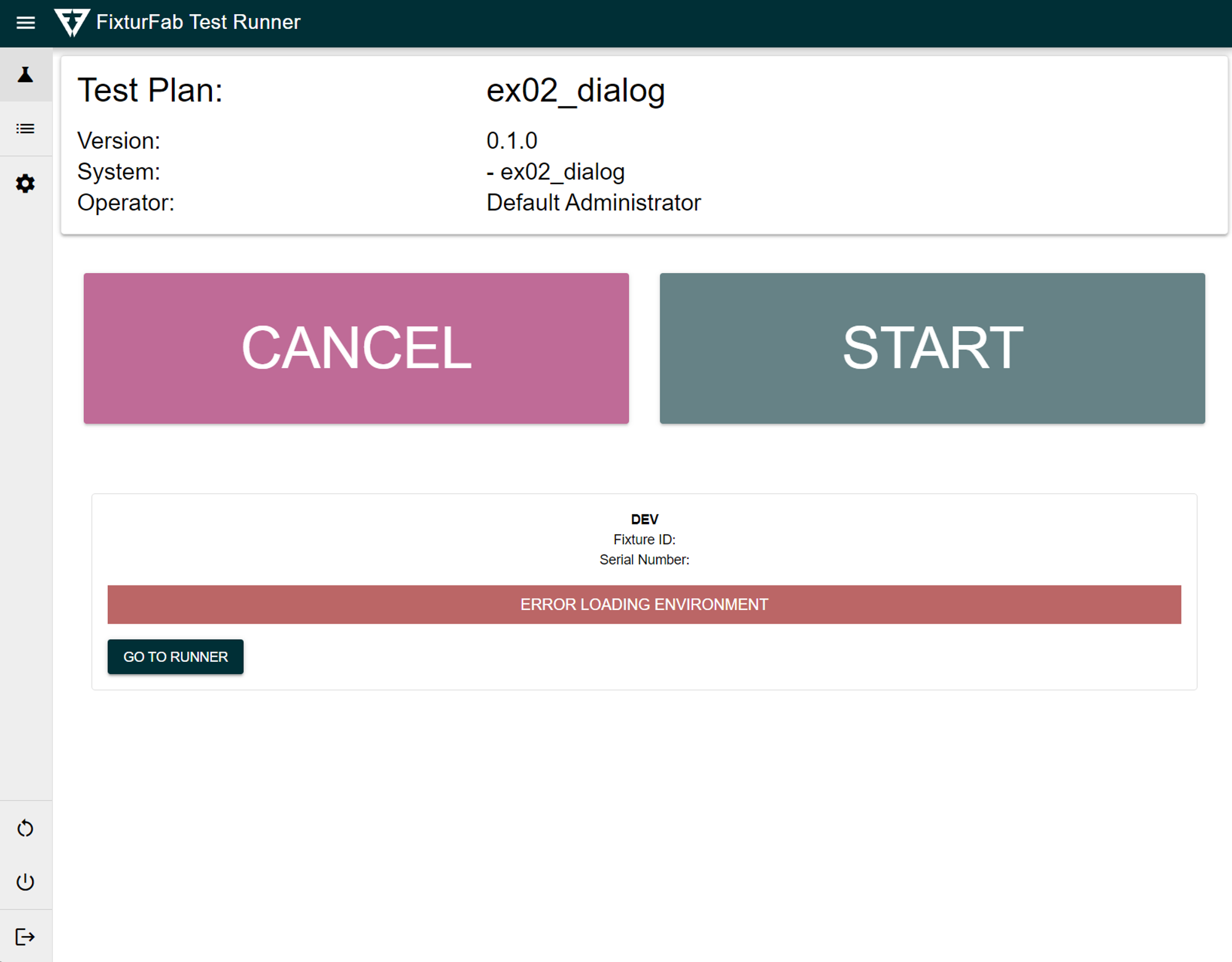
This usually happens if the test fails while setting up the python environment or at the start of a pytest run.
To debug this, you can download the log information from the past runs page:
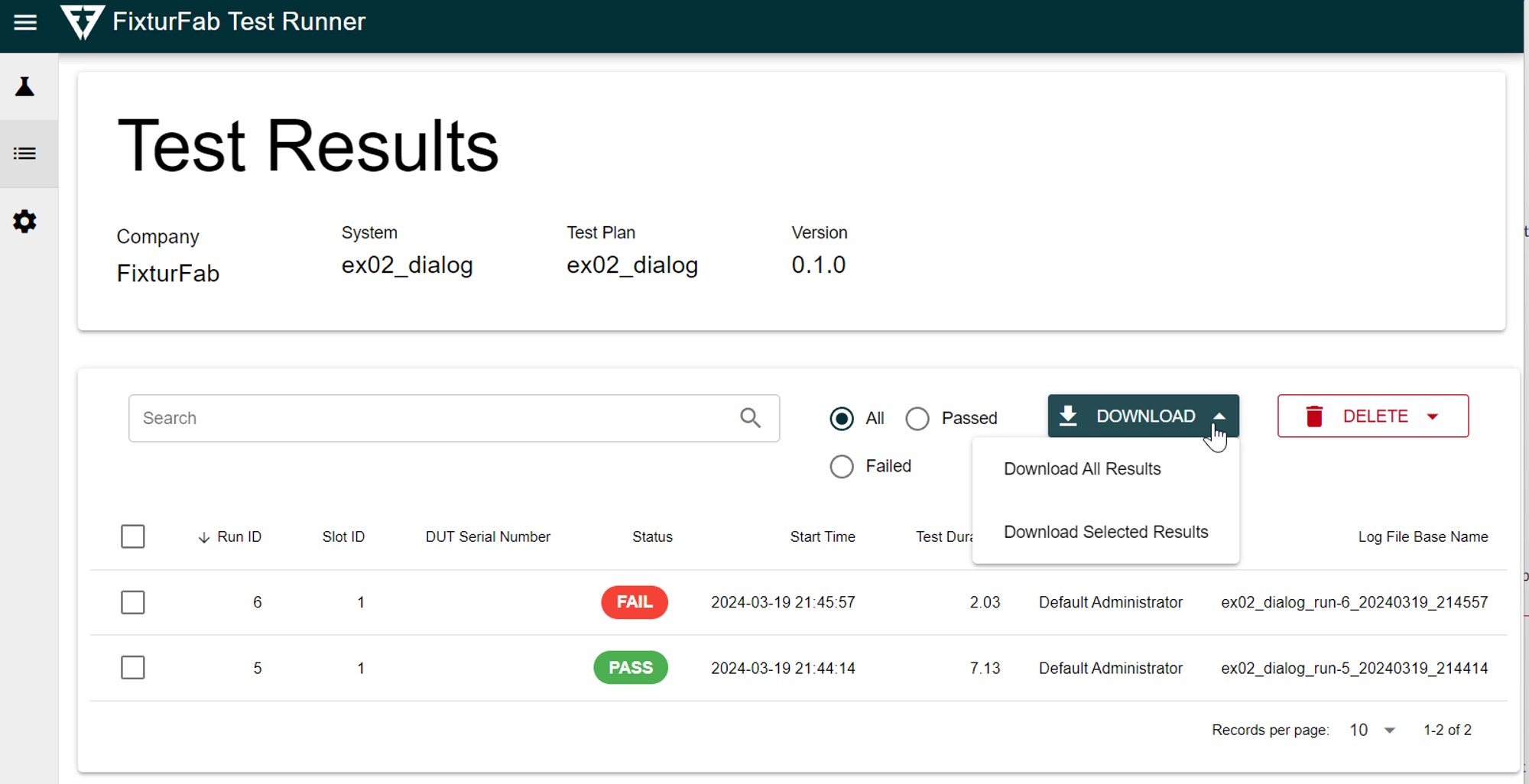
Open the txt logs for the specific run to view the command line output of the pytest call.
The log file contains the full pytest output, including any Python exceptions or import errors that caused the environment to fail loading.
Common Causes of Environment Errors
Missing Dependencies
If a test file imports a module that isn't installed in the container, the environment will fail to load. Verify all required packages are listed in your requirements.txt or container configuration.
Syntax Errors
Python syntax errors in test files prevent the pytest collection phase from completing. Check the log file for SyntaxError messages.
Configuration Issues
Incorrect paths in the test plan configuration can prevent tests from being discovered. Verify the test directory path is correct.